Download Inat Box APK for PC to watch live streams on a big screen.
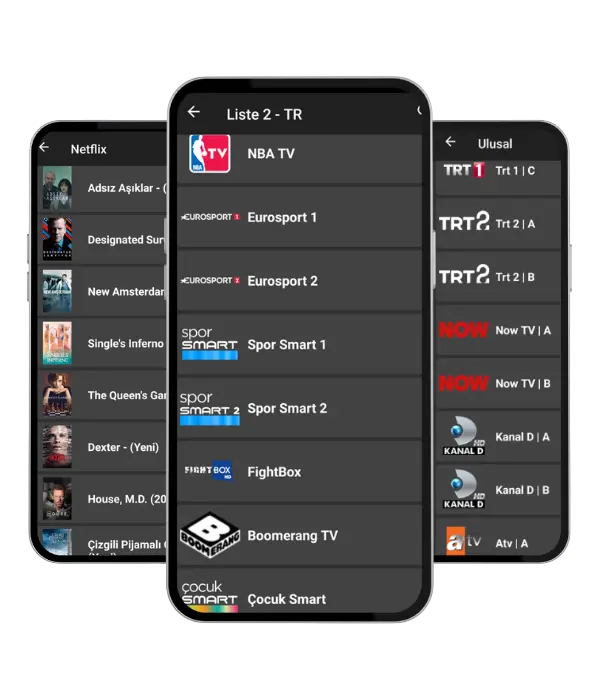
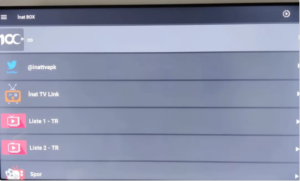
Inat TV is a streaming app that offers live channels, sports matches, and movies in Turkish and other languages, with subtitle support available. While designed for Android, you can also enjoy it on a bigger screen by using an emulator on your PC. In this guide, I will provide a step-by-step walkthrough so you can experience the entertainment on a larger display.
Even though it was originally designed for Android and requires a few extra steps to set up, running Inat Box on your PC offers several key advantages. Let’s explore why it might be your best option:
No Battery Worries: A common issue with mobile phones is rapid battery drain, especially during live streams. Computers eliminate this limit, allowing you to enjoy long programs without constantly checking your battery percentage.
Immersive Big Screen: The most compelling reason is the display. While phone screens are small, a PC offers a large, high-resolution canvas for a superior viewing experience—perfect for watching with family and friends.
Superior Audio: While the app has great native sound, a PC allows you to connect external speakers or high-end headphones, significantly boosting the audio quality for movies and music.
Better Control: Navigating with a mouse and keyboard is much more precise than a touchscreen. It makes browsing through content faster and more comfortable.
Multitasking & Dual Screens: With a PC, you can watch sports on one screen while working, downloading software, or chatting with friends on another. This multitasking capability is a massive advantage over mobile devices.
To watch your favorite shows and movies in high definition on a larger screen, you need to install an emulator and the Inat TV PC APK file. Just follow these simple steps:
Step 1: Click the download button to get the Inat Box APK for PC.
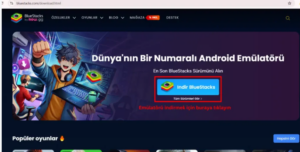
Step 2: Download an emulator like BlueStacks. You can click here to download the BlueStacks installer.
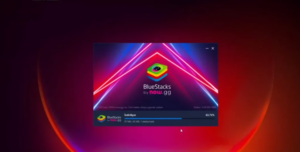
Step 3: Install the emulator on your computer.
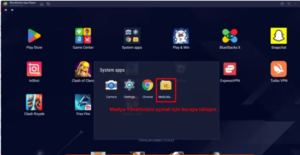
Step 4: Launch BlueStacks and navigate to the Media Manager.
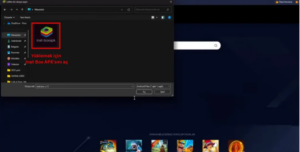
Step 5: Select “Import from Windows,” then locate and select your downloaded APK file.
Tip: Alternatively, you can simply drag and drop the APK file into the BlueStacks window to install it instantly.
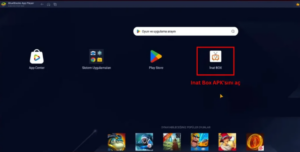
Step 6: Once installed, return to the BlueStacks home screen. You will see the Inat TV icon. Open it and start streaming!
Enjoy live matches, movies, and your favorite shows on PC with Inat Box!
System Requirements
Before installing Inat Box on your computer, please ensure your system meets the following minimum requirements:
Operating System: Windows 7 or higher / macOS Big Sur.
Memory (RAM): Minimum 4GB for Windows; 8GB for Mac.
Storage: At least 20GB of free disk space.
Optimizing Your Viewing Experience on PC
You can enhance your viewing pleasure by personalizing the following settings:
Full-Screen Mode: Switch to full-screen to eliminate distractions and enjoy an immersive, uninterrupted streaming experience.
Display Settings: If your PC is equipped with a high-end graphics card, you can manually adjust the visual settings within Inat Box. Whether you are using it on an iOS device or a PC, optimizing the display ensures the best possible picture quality.
External Audio: For superior sound, connect external speakers or high-quality headphones to upgrade your audio experience while watching movies or listening to music.
Tips for Smooth Streaming on Emulators
Follow these tips and tricks to ensure Inat Box APK runs flawlessly:
Storage Management: If the app starts lagging, try clearing the cache to free up storage within the emulator.
Regular Updates: Keep your emulator updated to the latest version to ensure stability and fix any potential bugs.
Stable Internet: A fast and reliable internet connection is essential for smooth streaming. Check your speed and use a wired connection (Ethernet) if possible for better stability.
Performance Tweaks: Emulators can be resource-heavy. If you encounter performance issues, adjust the emulator’s settings to allocate more CPU cores or RAM to match your system’s capabilities.
Conclusion
To enjoy movies and live broadcasts in HD on a larger screen, installing Inat Box on your desktop or laptop via an emulator is the perfect solution. By following the simple steps provided above, you can quickly set up the APK and unlock a world of entertainment on your PC. Download Inat Box today and start streaming without limits!
Inat Box is primarily developed for Android devices. However, you can seamlessly run it on Windows 7/10/11 and macOS using a third-party Android emulator. There is no native .exe or .dmg installer at this time.
Not necessarily. A mid-range PC with at least 4GB of RAM and a dual-core processor can run the app smoothly. However, for 4K or Full HD streaming without stuttering, 8GB of RAM and a dedicated graphics card are recommended.
Yes! One of the main benefits of using an emulator on PC is the ability to use your mouse for quick navigation and your keyboard for searching your favorite movies or channels much faster than on a mobile screen.
If you encounter a black screen, try switching the graphics engine mode in your emulator settings (e.g., from DirectX to OpenGL). Also, ensure that “Virtualization Technology” (VT-x/AMD-V) is enabled in your computer’s BIOS settings.
Definitely. By using an emulator, you can keep Inat Box running in a separate window or on a second monitor. This allows you to multi-task, such as working or browsing the web while keeping an eye on a live football match.
No, the PC experience via an emulator remains completely free. You get access to the same extensive library of live channels and movies as the mobile version without any hidden fees.


 Türkçe